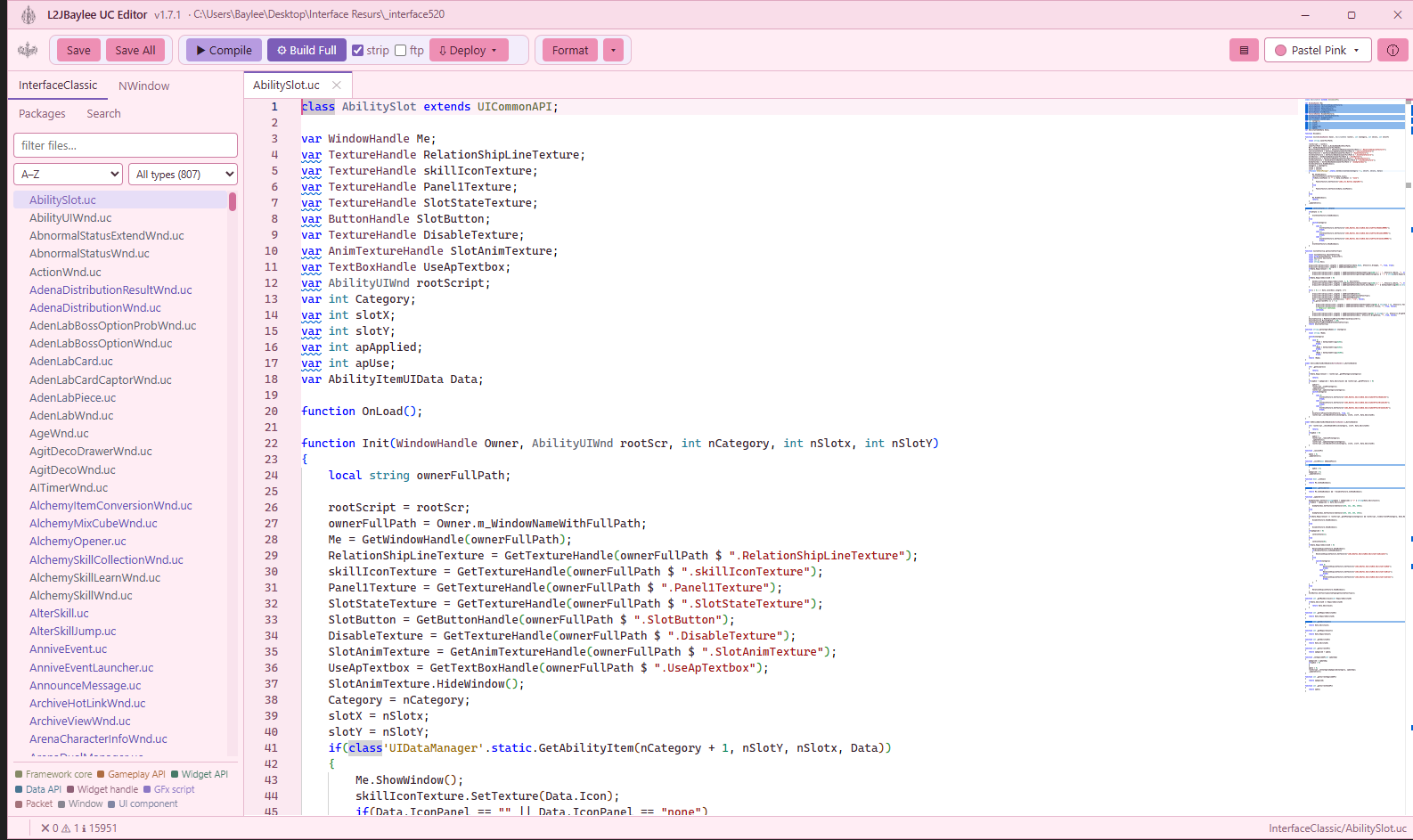

UC Editorv1.7.1
UnrealScript interface editor
Write, lint, compile and deploy client interface scripts from one window.
- Read
- Lint
- Format
- Compile
- Deploy
Explore UC Editor Pricing on request
The editor collection / Lineage II
From the scripts behind an interface to the light falling across a city. Four focused editors for shaping your Lineage II client.
Find your editorFind your editor
Choose a layer to see how it comes together.
Shape how your interface behaves. Follow your source from the first edit through linting, compilation and deployment.
Explore UC EditorUnrealScript interface editor
Write, lint, compile and deploy client interface scripts from one window.
Explore UC Editor Pricing on request
Unpack, edit and repack client .dat files
Read and write Lineage II client .dat files with the structures already described for you.
Explore DatEditor Pricing on request
Interface .xdat editor for modern chronicles
Edit the client's interface layout files with structures matched to your chronicle.
Explore xDatEditor Pricing on request
A world editor adapted for Lineage II
Shape maps, inspect assets and rebuild lighting in a native Lineage II workspace.
Explore UnrealEd Pricing on request
Tell us your client version and what you want to change. We’ll help match the right editor to your project.