
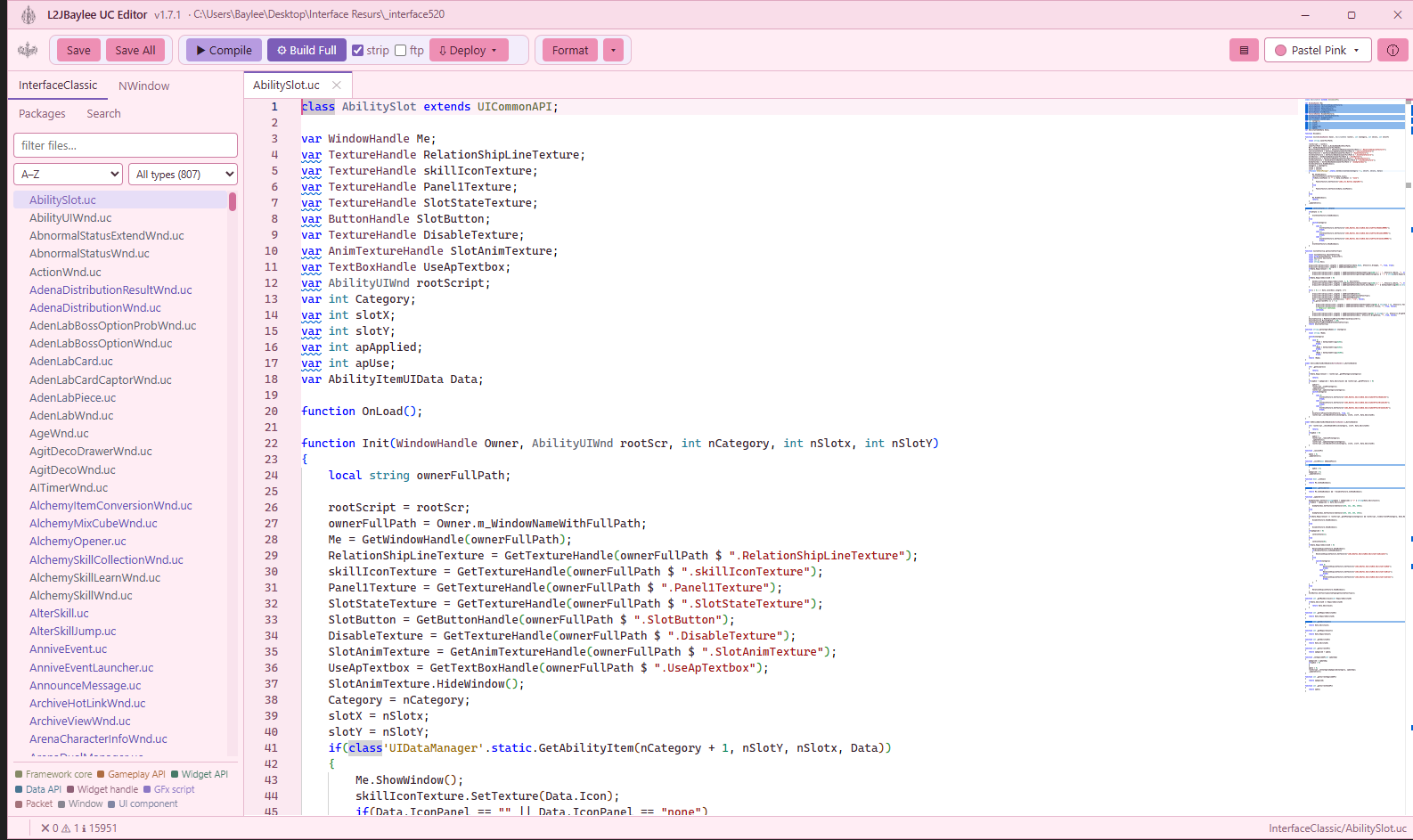
What it does
A full UnrealScript workspace for the Lineage II client interface: a package explorer over your whole source tree, live linting as you type, a project-wide problems console, a formatter whose every rule is proven against a real corpus, and a build-and-deploy pipeline that streams ucc output straight into the editor.
- Package explorer across the whole interface source, with filter and type facets
- Live lint while you type, plus a project-wide problems console with severity counts
- Formatter rules that are all compile-proven against a 946-file corpus
- Build with live ucc output, then deploy to one or many targets
- Mass format and mass replace across selected files, with backups
Release notes
v1.6.0
- Six new formatter rules, every one proven against the corpus
- Consistent semicolon spacing in for-headers
- Whitespace-only lines become genuinely empty, and stray blanks before case labels are removed
- Single-statement loop bodies always get braces
- Optional early-continue rewrite for loop tails, off by default
- Empty defaultproperties blocks are dropped
v1.5.0
- Boot is smooth: the splash bar no longer rewinds, and the lint database warms before the server accepts connections
- Format now applies every validated private-visibility fix first
v1.4.0
- Visibility linting rebuilt per file, so one file's declaration no longer blocks a fix elsewhere
- Proven by applying 7799 var and 7239 function fixes at once — still compiles with zero errors
- Title bar shows the interface source root
- Theme swatches match the theme they select
v1.3.0
- Save lag fixed
- Deploy to multiple targets
- Format just the selection
- Toolbar polish
v1.2.0
- Formatter collapses runs of blank lines and trims the end of the file
- New lint rule for functions that are never used or declared as events elsewhere
- Build output batched so a long compile no longer freezes the window
v1.1.0
- Explorer supports Shift-click ranges and Ctrl-click toggles, then format every selected file at once
- Crest mark in the title bar and a matching app icon
v1.0.0
- First release: live lint, problems console, build progress with streaming ucc output
- Quick fixes for did-you-mean, boolean simplification and variable visibility
- Mass replace across files with backups
- Native function whitelist read from the toolchain's own exports